Principal
A Figma intelligence layer that turns a design system from a static library into an auditable, machine-readable product system.
Role
Lead Product Designer & Architect
Project Type
Figma Plugin Ecosystem
Focus
Semantic Design System Infrastructure
The shift
The design system needed a memory
In a large product environment, design system quality is mostly lost in small, repeated failures: undocumented overrides, stale components, inconsistent variants, and rules that live only in people's heads.
Principal started from that pain. I wanted the system to understand itself: what components exist, where they are used, whether they are healthy, and what rules both humans and AI agents should know before touching them.
What I built
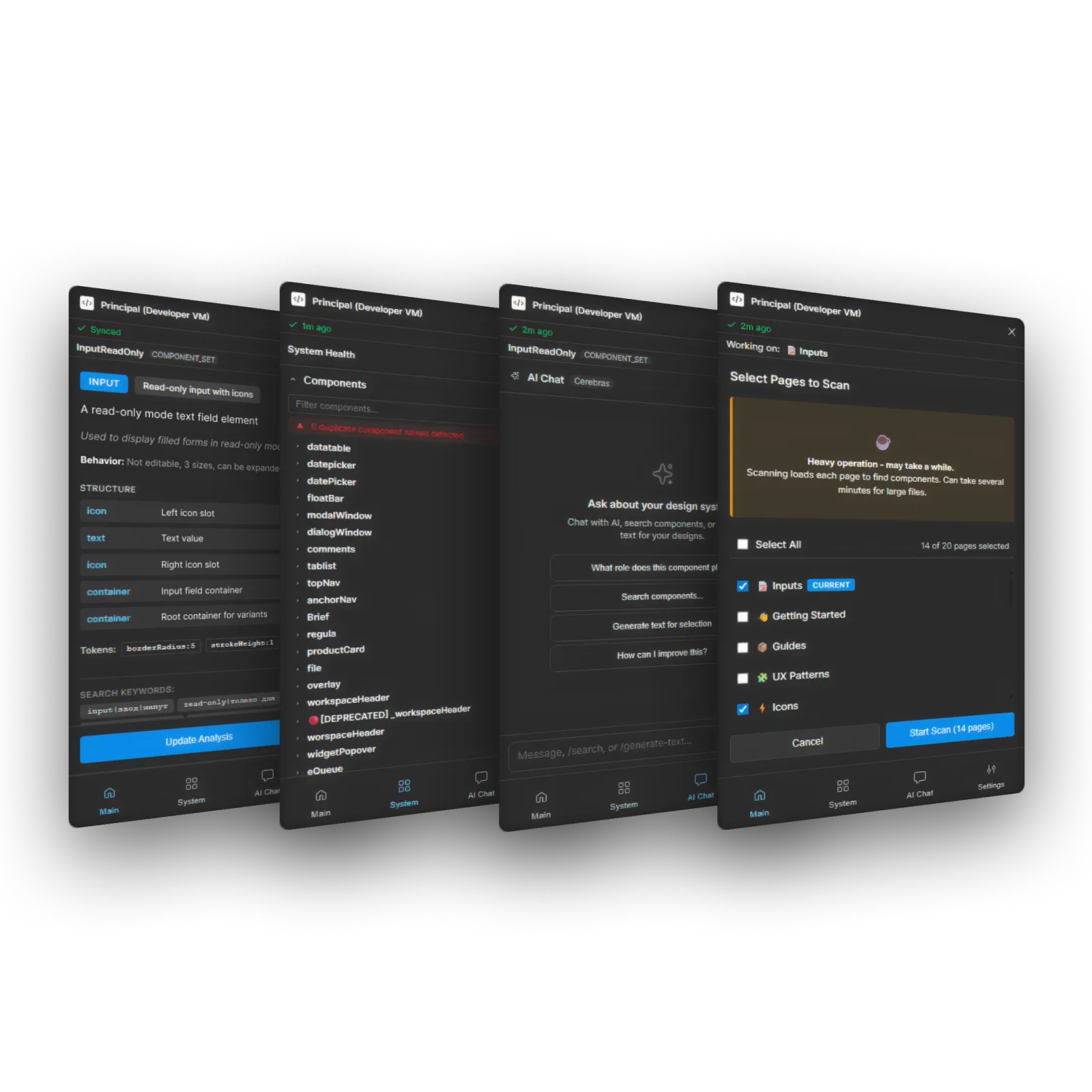
The core plugin scans files and turns Figma structure into semantic data
Principal performs deep analysis of design system and product files, then writes structured metadata back into the file. The output becomes a semantic registry that other tools can read instead of re-parsing the canvas every time.
This made the project bigger than a plugin UI. It became infrastructure for audits, documentation, navigation, handoff, and future AI-assisted design tasks.
Product value
Design-system context is what makes the AI useful
Automated Audits & Auto-Fix
Scans for detached instances, outdated styles, suspicious overrides, and drift from the source library, then points teams toward specific fixes.
Usage Analytics
Shows where components are used and which patterns are fading out, so design system decisions are based on actual product files rather than assumptions.
AI-Driven Documentation
Uses LLMs to turn component structure into practical documentation, usage guidance, and implementation rules.
Semantic Layer Generation
Creates a metadata map of the design system so companion tools and AI agents can work from intent instead of layer names.
Ecosystem decision
One engine, several focused tools
I deliberately avoided building one oversized dashboard. Principal acts as the engine, while DevPal, ComponentCard, and ComponentsNav expose the same data in the moments where people need it.
That architecture kept each interface small: developers see handoff status in Dev Mode, designers see documentation on the canvas, and teams get a navigable index inside dense files.
Outcome
From static components to a living system
- Compressed a backlog of component documentation, guideline audits, and small-error cleanup (naming, unbound tokens, drift) that used to be open-ended manual work into fast structured scans with targeted fixes.
- Files became cleaner: component descriptions exist, violations get caught at scan time instead of in code review, and routine inspection mostly disappeared from the design team's week.
- Improved onboarding by making component rules, status, and usage easier to discover through on-canvas and plugin-based tools.
- Prepared the system for AI-driven automation, including future workflows like localization and intent-aware component operations.